
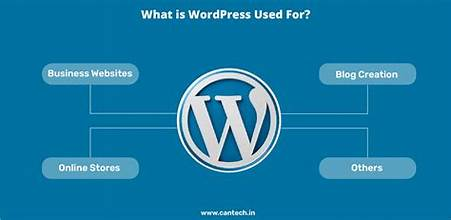
“WordPress is a factory that makes webpages”[is a core analogy designed to clarify the functions of WordPress: it stores content and enables a user to create and publish webpages, requiring nothing beyond a domain and a hosting service.
WordPress has a web template system using a template processor. Its architecture is a front controller, routing all requests for non-static URIs to a single PHP file that parses the URI and identifies the target page. This allows support for more human-readable permalinks.
Themes
WordPress users may install and switch among many different themes. Themes allow users to change the look and functionality of a WordPress website without altering the core code or site content. Custom code can be added to the website by using a child theme or through a code editor. Every WordPress website requires at least one theme to be present. Themes may be directly installed using the WordPress “Appearance” administration tool in the dashboard, or theme folders may be copied directly into the themes directory.[12] WordPress themes are generally classified into two categories: free and premium. Many free themes are listed in the WordPress theme directory (also known as the repository), and premium themes are available for purchase from marketplaces and individual WordPress developers. WordPress users may also create and develop their own custom themes and upload them in the WordPress directory or repository.
Plugins
WordPress’ plugin architecture allows users to extend or depreciate the features and functionality of a website or blog.[14][15] As of December 2021, WordPress.org has 59,756 plugins available,[16] each of which offers custom functions and features enabling users to tailor their sites to their specific needs. However, this does not include the available premium plugins (approximately 1,500+), which may not be listed in the WordPress.org repository. These customizations range from search engine optimization (SEO) to client portals used to display private information to logged-in users, to content management systems, to content displaying features, such as the addition of widgets and navigation bars. Not all available plugins are always abreast with the upgrades, and as a result, they may not function properly or may not function at all. If the plugin developer has not tested the plugin with the last two major versions of WordPress, a warning message will be displayed on the plugin directory, informing users that the plugin may not work properly with the latest WordPress version.[17] Most plugins are available through WordPress themselves, either via downloading them and installing the files manually via FTP or through the WordPress dashboard. However, many third parties offer plugins through their websites, many of which are paid packages.
Web developers who wish to develop plugins need to learn WordPress’ hook system, which consists of over 2,000 hooks (as of Version 5.7 in 2021)[18] divided into two categories: action hooks and filter hooks.[19]
Plugins also represent a development strategy that can transform WordPress into all sorts of software systems and applications, limited only by the imagination and creativity of programmers. These are implemented using custom plugins to create non-website systems, such as headless WordPress applications and Software as a Service (SaaS) products.
Plugins could also be used by hackers targeting sites that use WordPress, as hackers could exploit bugs in WordPress plugins instead of bugs in WordPress itself.[20]
Mobile applications
Phone apps for WordPress exist for Android,[21] iOS .These applications, designed by Automattic, have options such as adding new blog posts and pages, commenting, moderating comments, replying to comments in addition to the ability to view the stats.[22][23]
Accessibility
The WordPress Accessibility Coding Standards state that “All new or updated code released in WordPress must conform with the Web Content Accessibility Guidelines 2.0 at level AA.”